

Compare Pinnatec Virtual Link and CETE ASC for Audi factory air suspension, including phone control, presets, installation and buying considerations.
Pinnatec Virtual Link and CETE Active Suspension Control both give supported factory-air vehicles electronic ride-height adjustment. If you're comparing them, you probably already know the stance you want. The decision is about how easily you can achieve it, how the product fits your car and what ownership costs. CETE is an established option in this market. Virtual Link offers an American-engineered alternative built around convenient adjustment, supported factory controls and ongoing software development. The most useful comparison starts with the exact application you plan to buy.
Compare the systems for your chassis
Virtual Link A1 serves supported C7/C7.5 and D4/D4.5 applications. Virtual Link B1 covers a different group of newer factory-air vehicles. Their harnesses and installation procedures differ, so an A1 installation example should not be used to describe B1. Match either product to the corresponding CETE kit. CETE's A6 4G application page describes its Bluetooth interface and supported functions. Confirm the installed suspension as well: an RS badge does not mean the car has air springs.
Web access, Bluetooth and saved settings
Virtual Link gives you two ways to reach its controls: a local Wi-Fi web interface and a Bluetooth mobile app. Adjust the front and rear, save height profiles and assign them to supported factory drive modes. Corner-by-corner calibration helps establish the baseline before you build those profiles. After configuration, the phone does not have to remain connected. Your saved setup continues working with the app closed. That matters if you prefer to make the initial choices on your phone and then use familiar vehicle controls during normal operation. CETE also offers app-based adjustment and Drive Select integration on the referenced application. Its listed features include a show mode and configurable speed-based return behavior. Compare the functions supported on your particular kit, especially if one automated behavior is central to your plans.
Purchase price is a meaningful difference
At the time of this article, the corresponding CETE C8 system can be roughly twice the cost of Virtual Link B1, based on the US CETE listing and Pinnatec B1 listing. The exact difference depends on the seller, application and offer. Compare like-for-like quotes in the same currency, including taxes, shipping and installation. The point is the value of the complete setup: the adjustment features you want, fitted to your car, with clear support afterward. A price comparison for one chassis should not become a blanket claim about every kit either company sells.
Installation, warranty and support
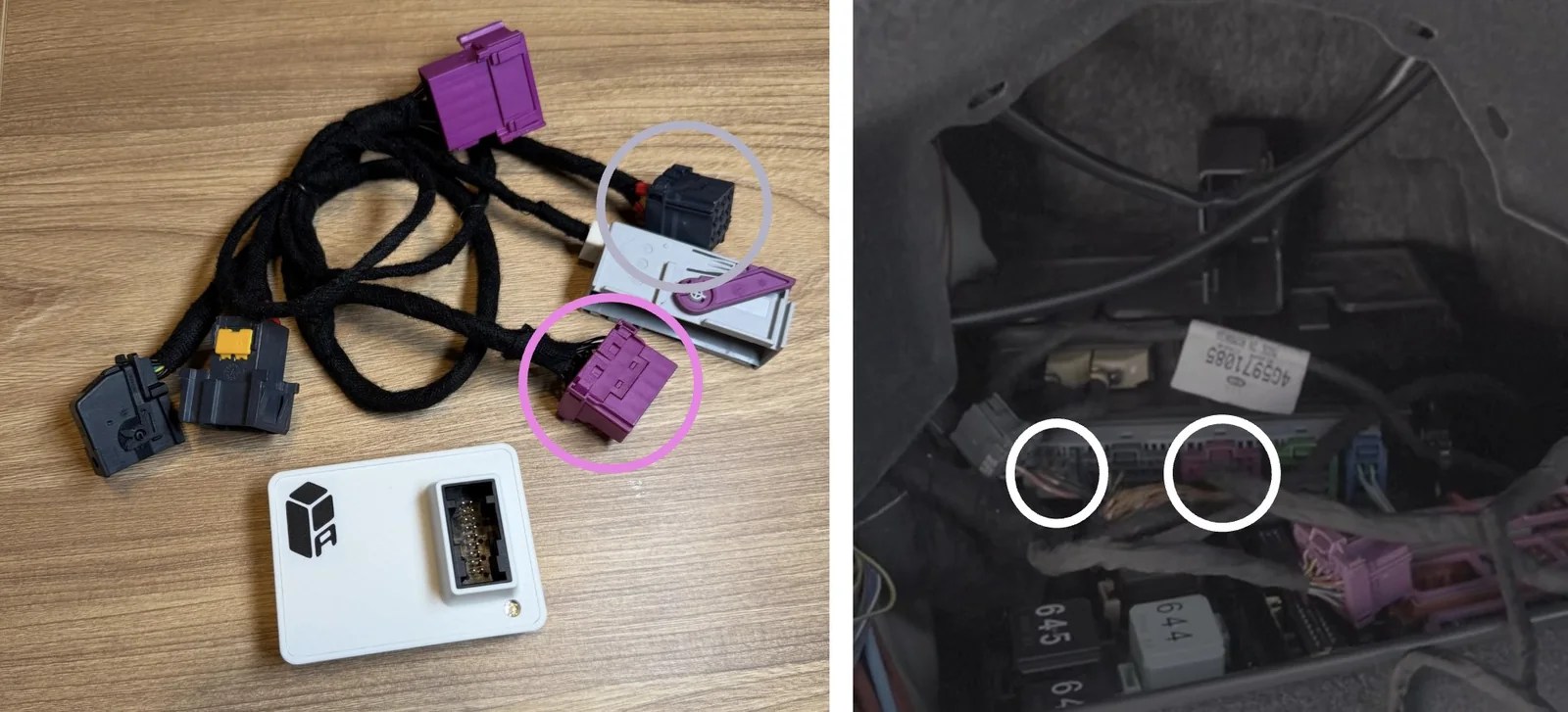
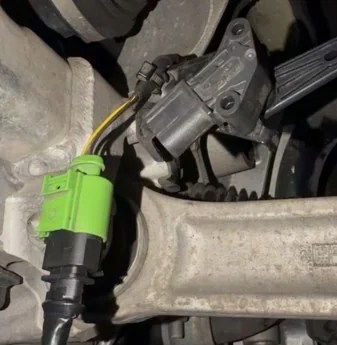
For supported C7 applications, A1 connects inline in the right rear trunk area. B1 includes ride-height sensor connections, harness routing and trunk wiring. The Pinnatec installation guides explain the work for each platform. Review the matching CETE instructions alongside those guides. Ask about the connection method, any vehicle-specific work and who will handle initial setup. Installation convenience is worth comparing at the vehicle level rather than assuming every electronic controller fits the same way. Warranty terms belong in that decision too. Check what each supplier covers, the exclusions and the route for a claim. Pinnatec's support team can explain the coverage for your purchase and help identify the right installation documentation.
Compare the installation for the chassis you own. A trunk connection on a C7 and a sensor harness on a B1 application are different jobs.
Why choose Virtual Link?
Virtual Link combines American engineering, web and Bluetooth access, front/rear control and saved mode-based settings at a competitive purchase price. Over-the-air firmware updates provide a route for feature improvements and bug fixes without treating the original software as the end of the product's development. For an owner who wants to refine the stance, recall it easily and keep convenient control as the build evolves, those are practical reasons to choose Pinnatec. CETE remains a credible alternative; the strongest case for Virtual Link is what it offers your particular car. Start with the Virtual Link compatibility overview, then choose A1 or B1 for your application. Our Drive Select setup guide shows how saved profiles become part of everyday use.
Ready to choose your setup?
Buy now
