

Compare D4 and D5 Audi A8/S8 lowering with factory air suspension. Understand A1 versus B1, installation differences and a comfort-conscious setup.
An A8 or S8 often looks its best with a settled stance and a deliberate front-to-rear balance. Virtual Link lets supported factory-air owners choose that height and keep adjusting it, while retaining the suspension system already in the car. The first choice is the hardware platform: supported D4/D4.5 cars use A1, while supported D5 cars use B1. From there, the goal is to create settings that suit the way you use the sedan, from everyday cruising to a low parked presentation.
Choose A1 or B1 by chassis
Start with Virtual Link's compatibility information and the actual chassis. A shared A8 or S8 badge does not make the installation identical across generations. For D4/D4.5, review Virtual Link A1 and the dedicated A8/S8 instructions. For D5, use Virtual Link B1 and its matching guide. Confirm the factory-air specification and mention any prior lowering work when checking fitment. B1 includes underbody sensor connections, harness routing and trunk wiring. Follow the D4 A1 instructions separately rather than carrying over a C7 procedure simply because the controller family is the same. The installation-guide library is the place to start.
The chassis determines the hardware
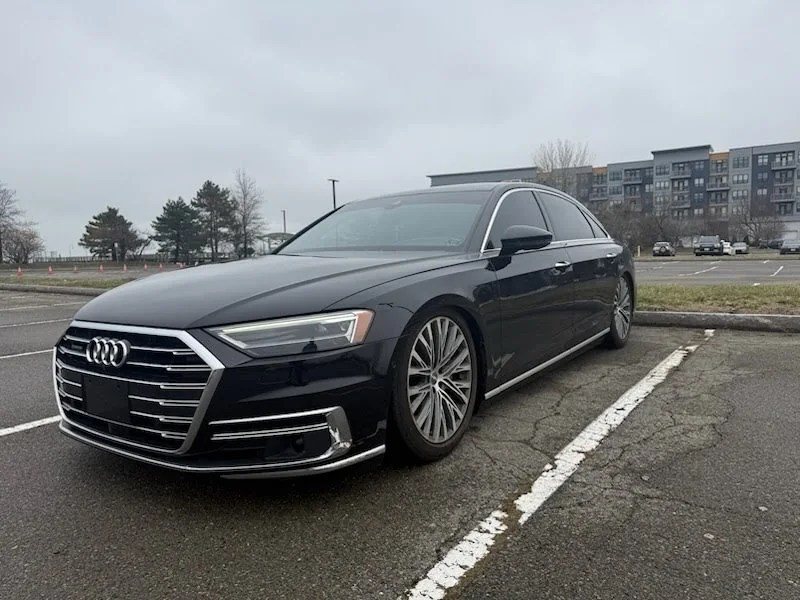
Match the vehicle specification to the controller rather than identifying fitment from a photograph alone.
Supported D4/D4.5 applications use A1. Supported D5 applications use B1. Use the installation guide for that exact chassis.
Establish the reference before choosing the stance
Measure the starting corner heights on level ground and account for the load in the car. Corner calibration establishes the baseline for the controller. Normal operating profiles then use front and rear adjustment. Existing lowering links can remain installed, as can compatible aftermarket components. Previous coding and mechanical offsets should be documented so you know what the displayed setting represents. See the guide to retaining lowering links for the distinction between controller zero and factory height. That baseline makes small changes easier to evaluate. Instead of guessing whether one end is too high, you can work from recorded measurements and save the front/rear balance you prefer.
Keep comfort and appearance adjustable
Use the Wi-Fi web interface or Bluetooth mobile app to create a cruising profile. Evaluate it on familiar roads with similar tire pressures and passenger load. If you prefer the ride at a slightly different height, save that setting without losing the previous one. A separate low profile can provide the air-out look for parked presentation. On-the-fly control lets you adjust within the suspension's available range, while preset recall returns the car to a familiar operating position. Our ride-quality article explains why the actual height matters more than the adjustment method alone. For an S8 used on a closed course, saved profiles can also retain height and rake choices for testing or launches. Keep those settings distinct from everyday use and evaluate the result on the complete car. The controller makes the choice repeatable; it does not by itself prove a performance gain.
Check the whole garage ramp
A long sedan can encounter a clearance problem after the front bumper has already passed an obstacle. Check the full transition into a garage or driveway, including the underside and the rear as the vehicle changes angle. This is where having more than one usable position pays off. You can keep a preferred lower stance and another suitable profile for a particular route or entrance, within the capabilities of the suspension.
Save it and use the car's controls Assign the profiles to supported factory drive modes and complete the configuration. The saved setup continues operating without keeping the phone connected or leaving the app open. The Drive Select setup guide explains profile mapping in more detail. Send Pinnatec your chassis and suspension details if you need help choosing A1 or B1. Include the existing modifications so the product and installation guidance match your A8 or S8.
A8/S8 platform reference
| D4 / D4.5 | Virtual Link A1 for supported factory-air applications. |
| D5 | Virtual Link B1 for supported factory-air applications. |
Ready to choose your setup?
Buy now
